

Engine Simulator 3D – Play Online & Explore Engine Layouts
Engine Simulator 3D lets you explore piston, radial, rotary and jet presets online. Start an engine, inspect its 3D motion and try browser simulation controls.
Related Games



































A Browser Sandbox for Engine Curiosity
- Category
- Simulator Games
- Platform
- Web browser
- Mode
- Engine simulation sandbox
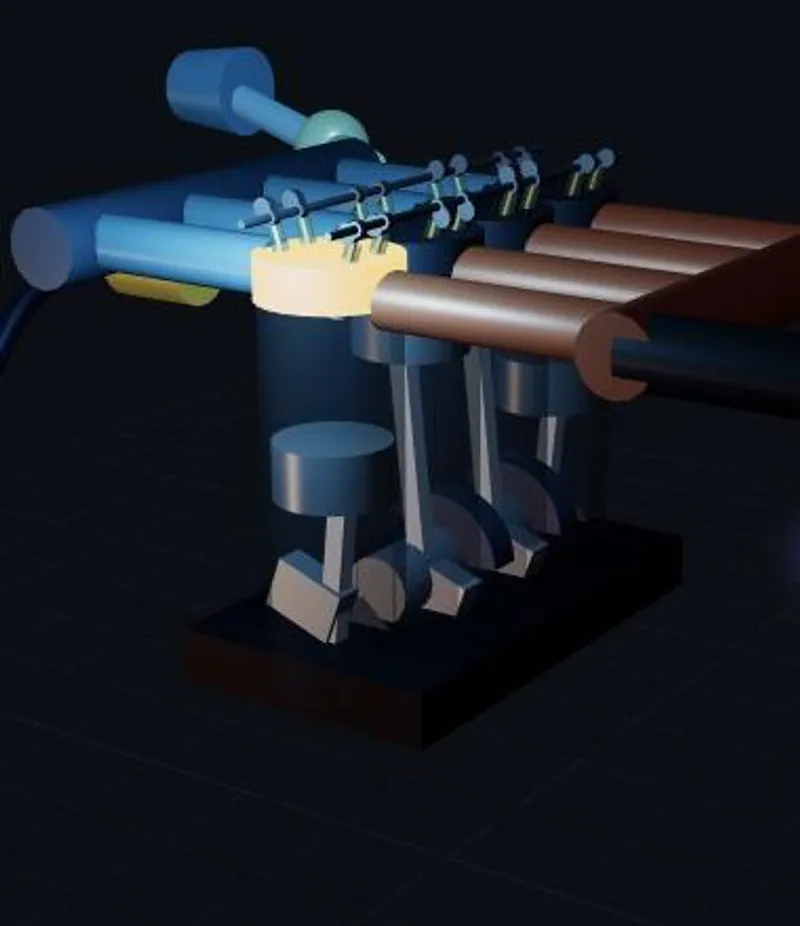
Real Engine Simulator turns engine exploration into an interactive browser session. Instead of looking only at a diagram, you can start a preset, observe a 3D mechanism, rotate the view and compare its live readings. The selection spans familiar automotive piston engines as well as radial aero, Wankel rotary and turbojet examples. Its simulation tools include cycle-by-cycle physics, synthesized sound, a dyno and a pressure-volume trace. The operating interface adds RPM, horsepower and road-speed gauges plus a throttle slider, gear controls and vehicle classes. Those tools give you several ways to approach the same experiment: watch the movement, listen to the sound, or follow the measurements. Treat the sandbox as an opportunity to ask small questions. How does a different layout look? What changes when you alter bore or stroke on a piston preset? How does the same engine behave with another vehicle class? Keep the setup simple enough that each comparison is understandable. Basic preset simulation is available without installing an application; advanced tuning and the custom builder have different access requirements.
Getting Started with Engine Simulator 3D
Controls
Use the engine selector as a small mechanical gallery. Look through the piston, rotary, radial and turbojet groups, then open a preset that interests you. Inline-4 2.0L is a straightforward first choice: it gives you an accessible piston layout and a clear baseline for the simulator controls. Press START and look for RUNNING in the driving panel. Watch the RPM value settle at idle before adjusting THROTTLE. Listen with engine sound enabled if you want an audible response, and compare the live horsepower reading as you experiment. Return to a modest setting before changing another input so you can keep track of what caused the difference. Spend time with the 3D mechanism itself. Drag to rotate it and scroll to zoom, then open CONTROLS to switch to a contrasting layout. A radial engine, a rotary and an inline piston engine are useful visual comparisons. Presets have different settings, so inspect the available panel instead of assuming every family uses the same piston controls. For a deeper session, examine the specification fields and the DATA tools. Available piston controls include cylinders, bore, stroke, compression, mixture and firing order. Change one variable at a time. Advanced tuning sections require a free sign-in, and the separate custom builder has subscription access; existing presets give you plenty to explore before deciding whether you need either option.
Game Features
- Explore four broad engine families from a preset selector
- Inspect engine movement in a rotatable, zoomable 3D view
- Start a preset and follow live operating gauges
- Compare layouts using the Controls preset menu
- Try available engine specification inputs one variable at a time
- Listen to synthesized engine sound
- Explore dyno and pressure-volume measurement tools
- Use throttle, gear and vehicle-class controls in a browser
Engine Layouts & Browser Access FAQ
Can I try more than ordinary car engines?
Yes. The selector includes piston layouts, radial aero engines, Wankel rotary engines and turbojets. Pick a card to explore that preset, then use the engine preset menu in Controls when you want another comparison.
Is Build your own included with the basic simulator?
Build your own opens a separate custom builder with subscription and sign-in gates for Builder Pro and Builder AI. Choosing an existing engine preset is the simpler way to begin without custom-builder access.
Will I need to install anything or make an account?
The basic preset simulator runs directly in your browser and can be started without an account. A free sign-in is requested for advanced tuning sections, while custom engine building has separate subscription access.
How do I compare the shape of two engine layouts?
Choose a preset, drag the viewport to rotate the mechanism and scroll to zoom. Switch presets from Controls and inspect another layout from a similar angle; this makes the structural differences easier to see.