

Projeto Grau 2 – Open-City Motorcycle Simulator
Projeto Grau 2 is an open-city motorcycle simulator with wheelie physics, delivery and service jobs, traffic, garage upgrades and an official Google Play download for Android.
Related Games





























Projeto Grau 2 Guide: Open City, Vehicles and Progression
- Category
- Racing Games
- Platform
- Android; Windows through Google Play Games on Intel-powered PCs
- Mode
- Open-city motorcycle and vehicle simulation
- Developer
- Insanity Group
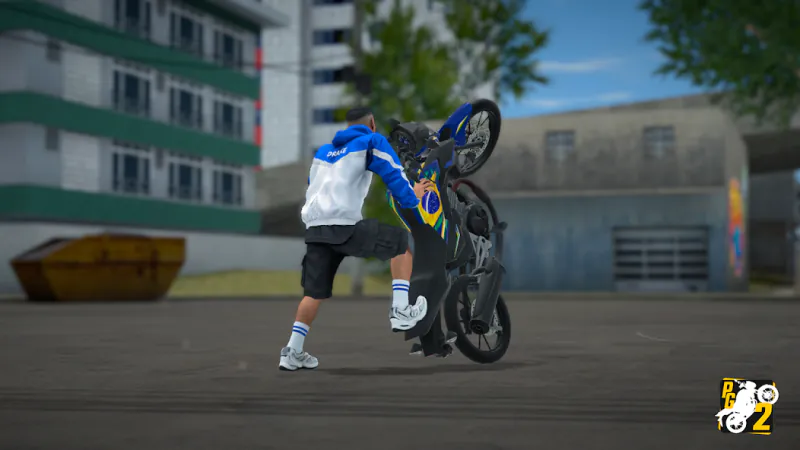
Projeto Grau 2 is a mobile motorcycle simulator from Insanity Group that combines wheelie practice with an open-city vehicle sandbox. Its standout activity is controlling a motorcycle with the front wheel raised, using throttle, brake and balance to keep each ride deliberate rather than chaotic. Stoppies, burnouts, foot-to-ground moves and other manoeuvres give you more stunts to learn once the basics feel comfortable.
The city makes the simulation more than a stunt screen. Walk between locations, ride a motorcycle or drive a car, watch traffic and traffic lights, and use the minimap and GPS to follow a route or explore. Day/night and weather changes add variety to streets you already know. A quick practice run can be as simple as finding a clear stretch for a short wheelie, while a longer session can combine navigation, jobs and garage visits.
Money comes from the jobs in the game, including deliveries, freight, packages, electrician work, lumberjack work and fruit delivery. These payouts help fund motorcycles and cars. The workshop then supports a visual and handling-focused project, with wheels, tyres, suspension, camber and paint as available options, plus motorcycle-part customisation and car audio for extra personal touches.
To get the game, use the official Google Play link on this guide. Android is supported, and the listing also covers Intel-powered Windows PCs through Google Play Games. Projeto Grau 2 is not offered as a browser game on this guide, and there is no verified APK mirror, mod APK or official infinite-money method to rely on. Searches for APK downloads and dinheiro infinito are understandable, but the safest route is the official store listing and the in-game job economy.
Official City and Motorcycle Screenshots
Two gameplay screenshots from the official Google Play media, showing the city and a motorcycle wheelie.
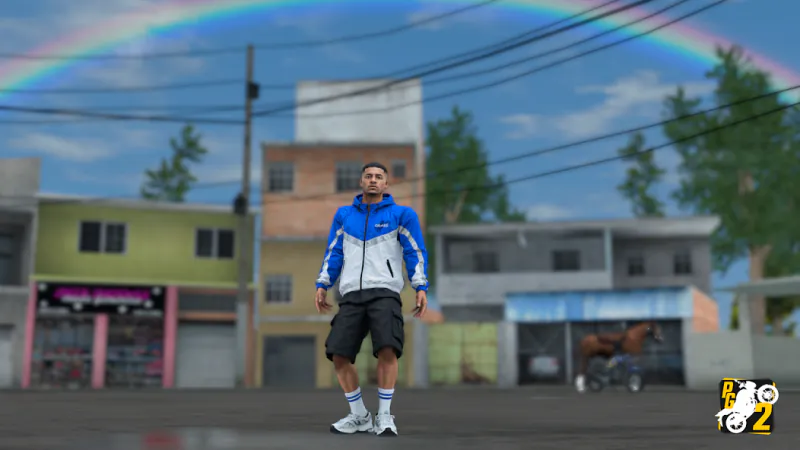
The city environment around the riding loop.
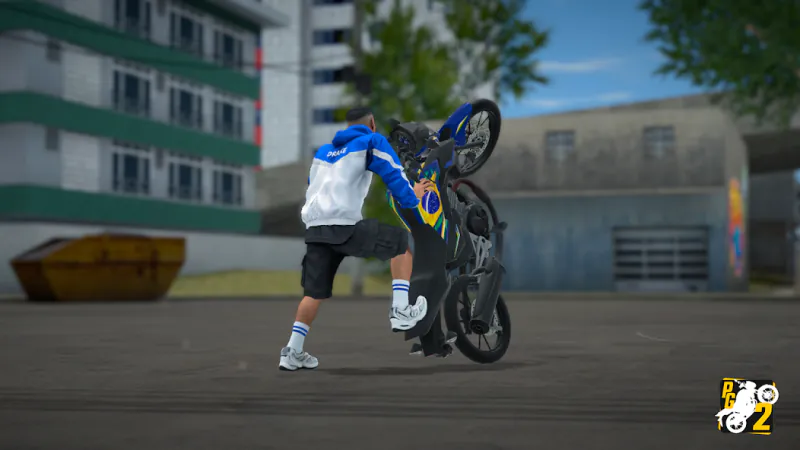
A gameplay capture of a motorcycle wheelie, the game's stunt focus.
How to Play Projeto Grau 2: Build a Ride and Explore
Controls
Use the Google Play link on this guide to open the Google Play page and install the current release on a compatible device. Projeto Grau 2 is not played inside this guide, so start from the store page. Once installed, choose an open stretch of road and learn how throttle, brake and balance work together.
Treat the first ride as a handling lesson. Add speed with the throttle, lift the front wheel for a short wheelie, and make small balance corrections while leaving room to set the bike down. Braking is not only for emergencies: it helps you approach traffic, finish a manoeuvre and recover before the motorcycle reaches an awkward angle. Stoppies, burnouts and foot-to-ground moves can wait until the core loop feels predictable.
The open city supports several kinds of play. You can walk, ride a motorcycle or drive a car, use the minimap and GPS to orient yourself, and deal with traffic lights and other road traffic. Day/night and weather changes add context to familiar routes. Follow the GPS when you are learning the map, then pick a quiet street when you want to practise wheelies.
For a longer session, use jobs as your main source of progress. The job list includes deliveries, freight, package work, electrician work, lumberjack work and fruit delivery, all of which pay in-game money for motorcycles and cars. These jobs give you a supported way to earn money in the game and keep your economy tied to the city.
The garage turns that money into a personal setup. Store your vehicles, then experiment with wheels, tyres, suspension, camber and paint. Motorcycle parts can be customised, and car audio is another way to personalise a car. Change one part between rides and compare the result on the same street, so the workshop becomes a practical test space.
Because this is a mobile-focused release, set up the controls early. The on-screen controls can be repositioned in settings, so move the most important inputs somewhere comfortable before attempting a long ride. The game is free with advertisements. Its safety notice matters: wear proper safety equipment, follow traffic laws and never copy a stunt in real traffic.
Game Features
- Open-city riding with traffic, traffic lights, GPS, day/night and weather
- Wheelie-focused motorcycle physics with stoppies, burnouts and other manoeuvres
- Walking, motorcycle riding and car driving in one city sandbox
- Delivery, freight, package and service jobs for in-game-money progression
- Garage storage plus wheels, tyres, suspension, camber and paint options
- Motorcycle-part visual customisation and car audio details
- Adjustable on-screen controls for Android devices
- Official Google Play download for Android, plus Windows on Intel-powered PCs through Google Play Games
Projeto Grau 2 Community Videos
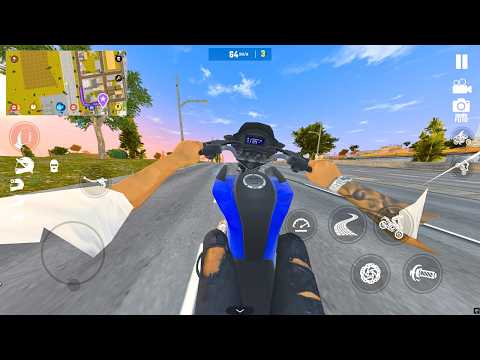
Community Video on Android and iOS Download Links

Testing the Tiger Sport 660
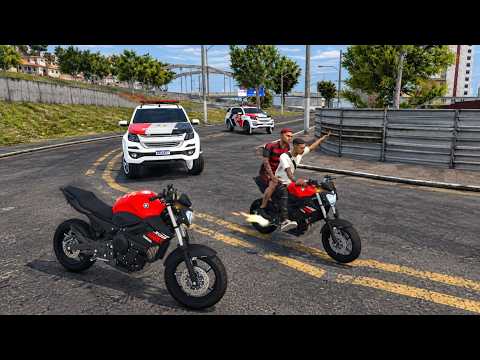
First Gameplay After a New Update

How to Find the Hidden BMW S1000RR
Projeto Grau 2 Download and Android FAQ
Where can you play Projeto Grau 2?
Use the Google Play link on this guide to open the Google Play page. This guide does not offer a browser version of the game, so Google Play is the verified place to play.
How do you get a Projeto Grau 2 download on Android?
Open the official Google Play listing from this guide and install the current release from Insanity Group on a compatible Android device. Using the Google Play page is safer than an unverified download button on an APK site.
Is the Projeto Grau 2 APK search result official?
The verified official destination is Google Play, not a separate APK mirror. Check that the developer is Insanity Group and that the update information matches the Google Play page; if a third-party file does not match, its safety and authenticity cannot be confirmed here.
Does Projeto Grau 2 have dinheiro infinito?
There is no verified official infinite-money feature or mod to recommend. Earn in-game money through the listed deliveries, freight, package and service jobs, then spend it on vehicles and workshop changes.
What is the main open-city gameplay loop?
Explore with a motorcycle, car or on foot, follow the minimap/GPS, handle traffic and traffic lights, practise manoeuvres, take jobs and return to the garage to test a new vehicle setup.
How should a new player practise wheelies?
Find a clear road, build speed with the throttle, lift the front wheel briefly and use small balance corrections. Keep the brake ready for recovery, then extend the wheelie after the set-down timing feels consistent.