
Surfd CS Surf Browser – Play Online & Learn Ramp Movement
Play Surfd CS surf browser online with timed ramp courses on desktop. Learn smooth strafing and choose between linear routes and staged challenges.
Related Games




















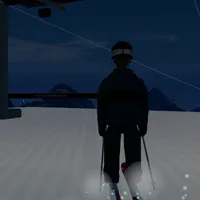


Surf Courses With Clear Movement Goals
- Category
- Sports Games
- Platform
- Web browser — desktop keyboard and mouse
- Developer
- 0yield
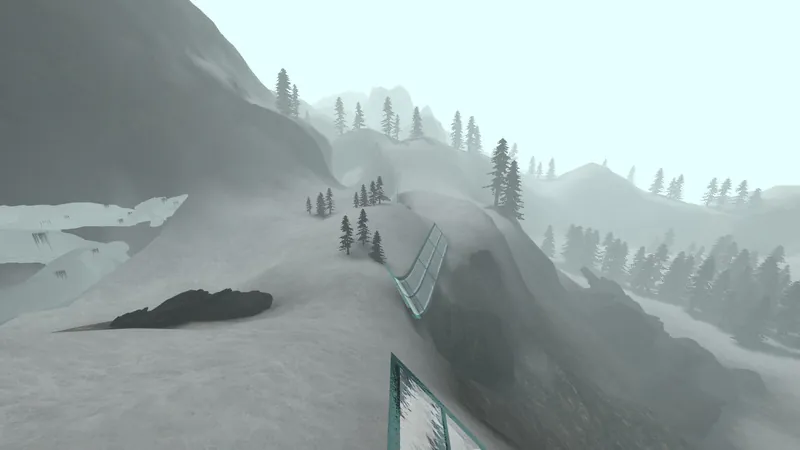
Surfd turns Counter-Strike-style ramp surfing into a free browser session. The challenge comes from controlling your direction across sloped surfaces and connecting transfers, with a timer giving each completed course a repeatable goal. It is credited to 0yield and is an independent surf implementation.
The course picker lists 25 courses. Names such as Boreas, Utopia and Kitsune sit alongside type and tier labels, which makes it easier to choose a session before entering the map. Boreas is a linear route with two checkpoints; Beginner is staged across seven stages. These labels are useful when you are deciding whether to learn one flowing route or a series of sections.
The built-in ramp advice is simple but specific: release W, strafe toward the ramp face, and steer with small mouse adjustments. That gives a beginner a concrete action to practice instead of relying on rapid key presses. Green and gold zones make the start and finish visible, while local bests and ranked records give returning players something to improve.
Solo courses and the untimed Practice facility support different kinds of sessions. Start with a course when you want a defined route, and use the practice stations when a particular movement needs attention. Learn Surfd's movement as you practice; its independent implementation may feel different from other Counter-Strike surf games.
How to Play Surfd CS Surf Browser
Controls
Click Play Now above to load Surfd, then open the course picker and choose Solo. Read a course card before joining: its tier shows the listed level, and Linear or Staged shows how the route is organized. Boreas is a Tier 1 linear course with two checkpoints. Beginner is also Tier 1, arranged in seven stages. Join a map and click inside the player when it asks for mouse control.
Find the green start and work toward the gold finish. On a ramp, release W and hold the strafe direction toward the ramp face. Use gentle mouse turns to shape your line rather than making abrupt corrections. Your aim is to stay on the surface, carry your movement into the next transfer, and reach the end of the course.
Keep your first practice session narrow. Choose a manageable tier and repeat the same kind of transfer until the input sequence feels familiar. A staged course offers a different structure from a continuous linear route: the picker shows stages for one and checkpoints for the other, so choose the arrangement that helps you understand where your run is going.
Use the local best on a course card as a personal comparison. You can begin as a guest; the game asks you to finish and sign in when you want to save a ranked time. The Records and Online tabs offer more ways to explore once the basic movement feels familiar. The Practice facility has eight untimed stations for working on movement without chasing a course time.
Play with a desktop keyboard and mouse. In windowed mode, use C to crouch, because holding Ctrl while pressing W can trigger the browser's close-tab shortcut. Fullscreen is another display option offered by the game. If mouse control drops back to the surrounding page, click inside the game again and follow its capture prompt.
Game Features
- 25 courses, each labeled with a tier and route type
- Linear routes with checkpoints and staged courses
- Desktop keyboard-and-mouse ramp movement
- Green start zones and gold finish zones
- Guest entry, local bests and sign-in for ranked times
- Eight untimed Practice facility stations
Surfd Course & Movement FAQ
Where can I play Surfd online?
Click Play Now above, open the course picker, choose a course under Solo and join the map. Use a keyboard and mouse, then click inside the player when it asks for mouse control.
Which route is a sensible first choice?
Boreas and Beginner are both Tier 1 in the picker. Boreas is a linear course with two checkpoints, while Beginner is staged across seven stages. Choose the structure you want to practice.
What should I do once I land on a ramp?
Release W, hold the strafe key toward the ramp face and turn the mouse gently. Use the in-game help while you learn a smooth line through each transfer.
Can I begin without signing in?
Yes. Guest runs are available. Sign in after finishing when you want to save a ranked time. The course card also shows a local best for personal comparison.
Why is C the safer crouch key in a window?
The picker warns that Ctrl plus W can close a browser tab in windowed mode. Use C to crouch instead, or play in fullscreen, which the game also offers.
Can I practice without a course timer?
Open the Practice facility from the menu. Its eight untimed stations let you focus on movement before returning to a timed linear or staged course.