

Grow a Chicken Fighter - Roblox PIT & TOWER Guide
Grow a Chicken Fighter is a Roblox incremental fighter loop: hatch birds, equip your best roster, farm Cash in the PIT, push the TOWER, fuse stronger forms, and queue offline eggs.
Related Games


































About Grow a Chicken Fighter
- Category
- Tycoon Games
- Platform
- Roblox
- Mode
- Simulation / Tycoon
- Developer
- Grow a Chicken Fighter
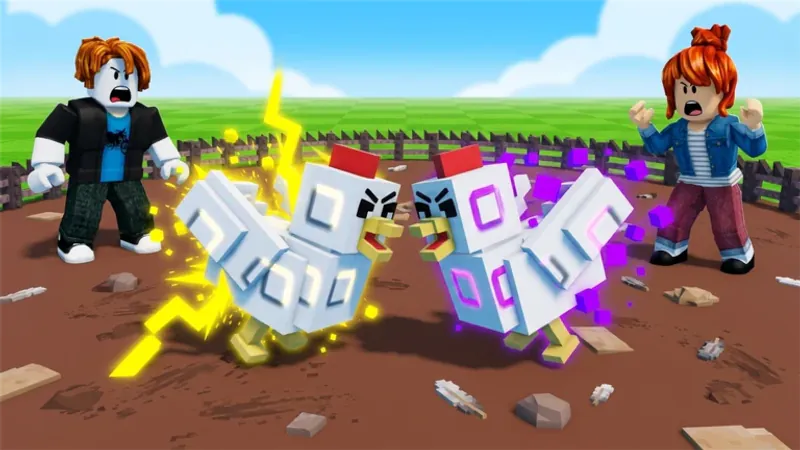
Grow a Chicken Fighter is an incremental Roblox fighter, not a passive egg screen. Your first loop is tutorial prompts, codes, hatching, equipping, PIT Cash, and attack upgrades. The PIT is the repeatable farm; the TOWER is the harder floor push; Fuse and Rebirth expand the long-term power curve; and offline eggs keep the collection moving between sessions. Special abilities add burst, survival, and utility choices once they unlock.
How to Play Grow a Chicken Fighter
Controls
Complete the opening tutorial before optimizing anything. When the HUD is ready, use the top-left ticket or codes button, hatch the eggs you have, and equip the stronger bird in your fighter roster. The PIT is the main Cash engine: enter a fight, focus the enemy that is extending the clear, use a special ability when it meaningfully shortens the battle, collect the reward, and requeue. After a fight, check the PIT fence for visible scrap and feed it to the recycler when that UI is available. Buy attack upgrades when clear speed stalls. Move to the TOWER only after PIT Cash is steady, and retreat when a floor becomes a wall instead of burning time on repeated wipes. Fuse through the Fuse panel when it unlocks, then queue eggs for offline laying before you leave. Roblox's Help menu shows the current keyboard, mouse, and mobile gestures for the experience.
Game Features
- Tutorial-to-PIT first-hour progression loop
- Hatch eggs, compare birds, and equip the stronger fighter
- Repeatable PIT fights that pay Cash for upgrades
- Special abilities for burst, survival, and utility roles
- TOWER floors for a harder progression push
- Fuse panel and Rebirth systems for long-term power
- Fence scrap and recycler side-income when available
- Offline egg laying between sessions
- Roblox servers with up to 8 players
Grow a Chicken Fighter Gameplay Videos

Grow a Chicken Fighter Long Gameplay Run

Grow a Chicken Fighter Beginner Progression

Grow a Chicken Fighter Special Skills Gameplay

Best Chicken Guide for Grow a Chicken Fighter
Grow a Chicken Fighter FAQ
What should I do in the first session?
Finish the tutorial prompts, open the top-left ticket or codes button, hatch your available eggs, and equip the stronger bird. Then run the PIT for Cash, buy attack upgrades when clear speed stalls, and try the TOWER once the PIT loop is stable.
What is the PIT loop?
Equip your best available fighters, enter the PIT, focus the threat that is extending the clear, use a useful ability, collect Cash, and queue the next battle. Check for scrap near the PIT fence and use the recycler when it is available.
When should I try the TOWER?
Use the PIT to build a steady Cash flow and improve attack first. Push the TOWER when your current floor is no longer a wall; retreat and return to the PIT if repeated attempts are not clearing.
How do Fuse and special abilities fit the run?
Use the Fuse panel when it unlocks to turn eligible chickens into stronger mutated forms, and use abilities according to the job you need: burst for faster clears, survival for dangerous pushes, and utility for support. Rebirths extend the long-term progression curve.
What are the actual controls?
The HUD handles the tutorial, ticket or codes button, egg inventory, roster, PIT, and Fuse actions. For Roblox camera controls, drag with the right mouse button, use Shift for Shift Lock when enabled, and open Help to see the current keyboard, mouse, or mobile gestures.